Four capability gaps closed
The four items the founder logged after v0.2.1 launched. Each one closes a workflow that was incomplete in the previous release.
H.1 Add Metrics — AI-driven metric extraction from documents
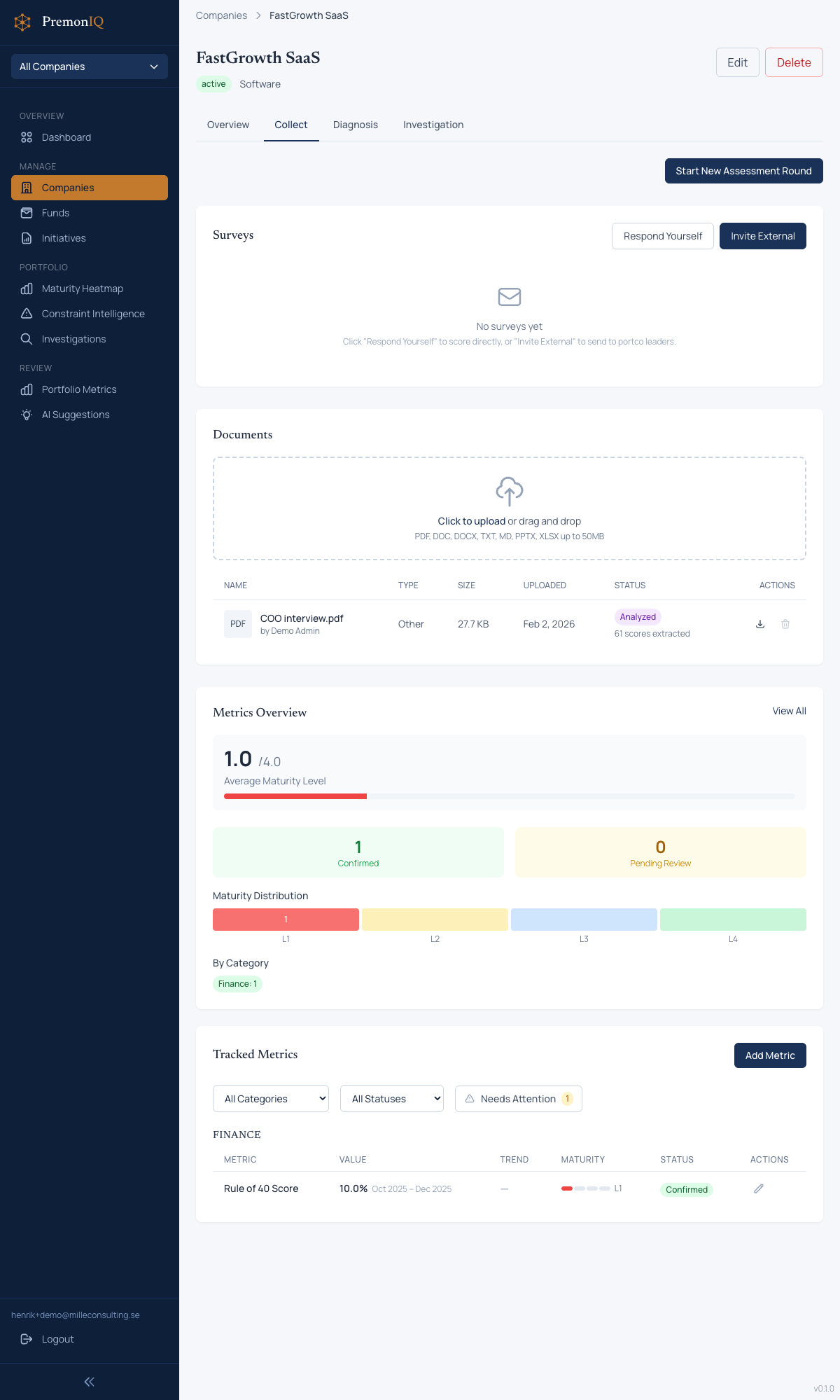
Document upload now produces structured metric values (e.g., ARR, Rule of 40, gross margin, headcount) tied to the document, the dimension it scores, and the reporting period.
- Document upload form accepts periodType (FY / Q / H / MONTH) and periodEnd so financial values are timestamped correctly. Periods render in the metrics table as e.g. "Oct 2025 – Dec 2025".
- Each uploaded document shows status Analyzed and a count of how many scores were extracted (e.g. "61 scores extracted").
- Each extracted metric is persisted with a citation back to the source paragraph in the document, plus a confidence score.
- Sufficiency gating hooks into the extracted-metric stream — a metric without enough evidence does not feed the scoring engine.
H.2 Fix History — investigation history with completed-items filter
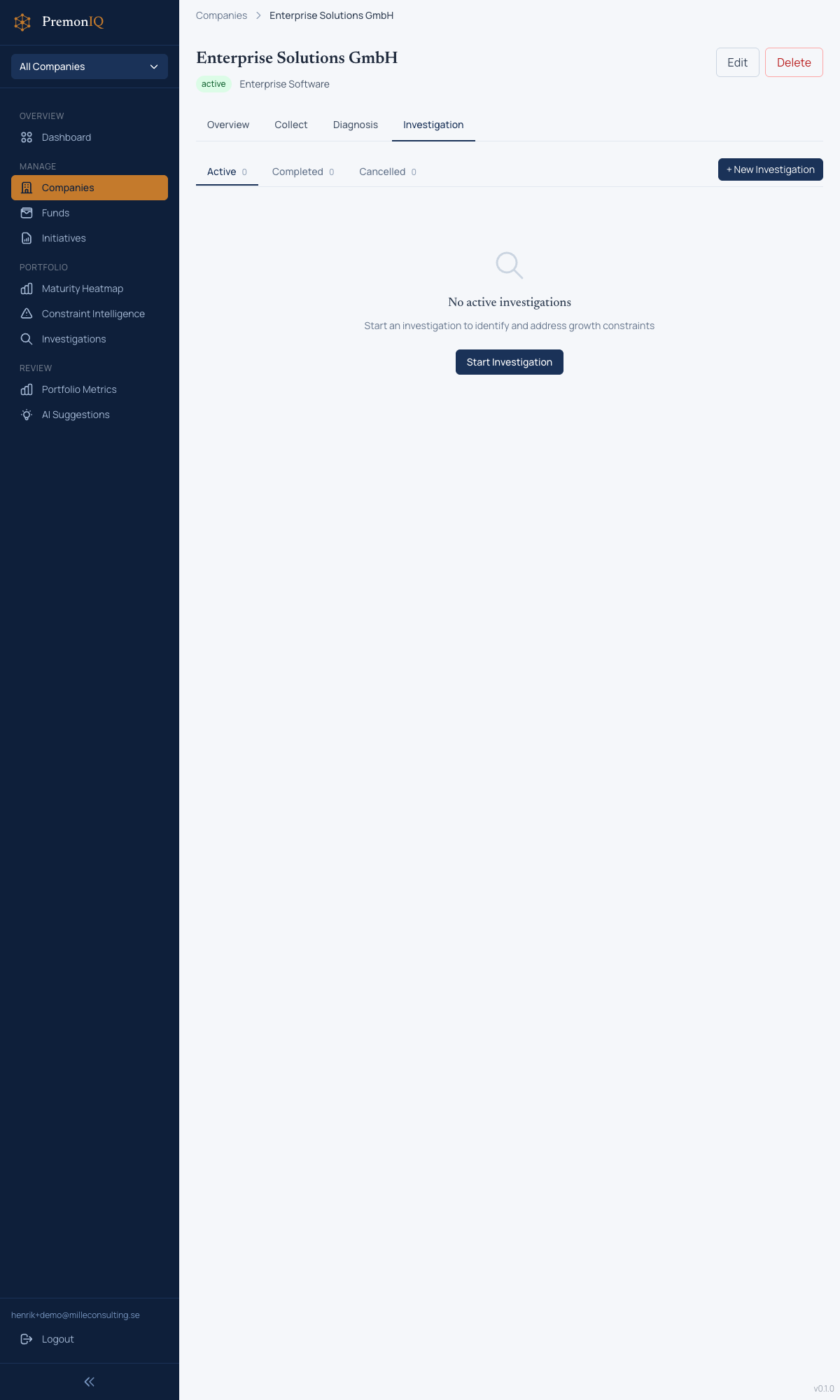
The Investigation tab on a company is now split into three filtered views, and every completed investigation has an outcome view that shows before/after dimension scores for the dimensions that were in scope.
- Three filter buttons: Active / Completed / Cancelled with counts. Same set on per-company and portfolio-wide views.
- Click any completed investigation → Outcome view showing scoped dimensions with Before → After scores, the after-assessment date, and the delta.
- Investigations are pinned to two assessment IDs (
beforeAssessmentId,afterAssessmentId) so re-scoring later does not corrupt the history. - Completed investigations are read-only — checklist edits are blocked at the API layer.
1.3 Improve Surveys — gap-aware recipient recommendations
When a user opens the Send Surveys panel from the coverage gap banner, the system suggests which roles are best positioned to answer the surveys based on the company's actual gap areas.
- Chip row above the recipient list: "Recommended recipients for these gaps".
- Each chip shows a role + how many gaps it covers (e.g., "CFO covers 2 of 3").
- Clicking a chip seeds or appends a recipient row pre-filled with that role.
- Already-added roles are visibly disabled to prevent duplicate invitations.
Algorithm: Each role scores as coverage_count + 0.5 specialist_bonus, where the specialist bonus applies when the role's primary domain matches one of the gaps. So CFO outranks Board Member when finance is the only gap.
3.3 Insufficient Data — gating before scoring or judgement
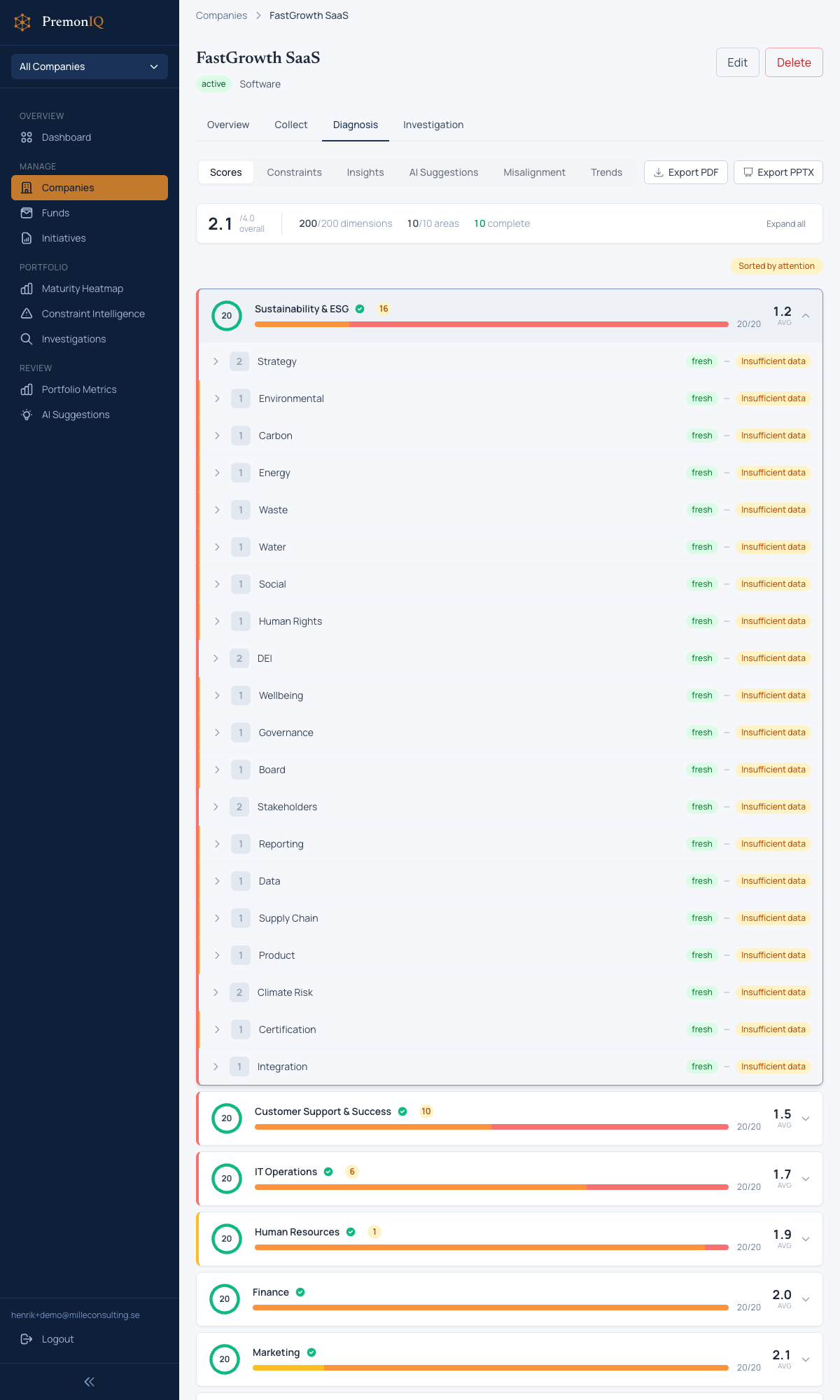
Dimensions without enough evidence are no longer scored. The AI does not generate insights or constraint judgments on dimensions where the data is too thin.
- Insufficient dimensions render as
—instead of a numeric score, with a grey "Insufficient data" badge. - Tooltip on the badge surfaces the specific reason: "Need at least 2 respondents", "Last evidence is N days old", or "Coverage below 40%".
- Constraints whose contributing dimensions are mostly insufficient are excluded from the AI insight engine until enough evidence arrives.
- Sufficiency rules exposed via per-tenant
aiConfidenceThresholdsetting.
Coverage, Attention, and AI-Drafted Initiatives
The pre-pilot block (1.2–1.5). Two items overlap with the founder priorities above (1.3 = Improve Surveys); the rest stand alone.
1.2 Coverage Gap Banner regression tests
Already shipped in v0.2.1; this release added 11 regression tests to lock in the existing behaviour. Banner appears on Overview and Collect tabs when coverage drops below 80%, with red styling under 50% and amber between 50–80%.
1.4 Scores Attention Signalling
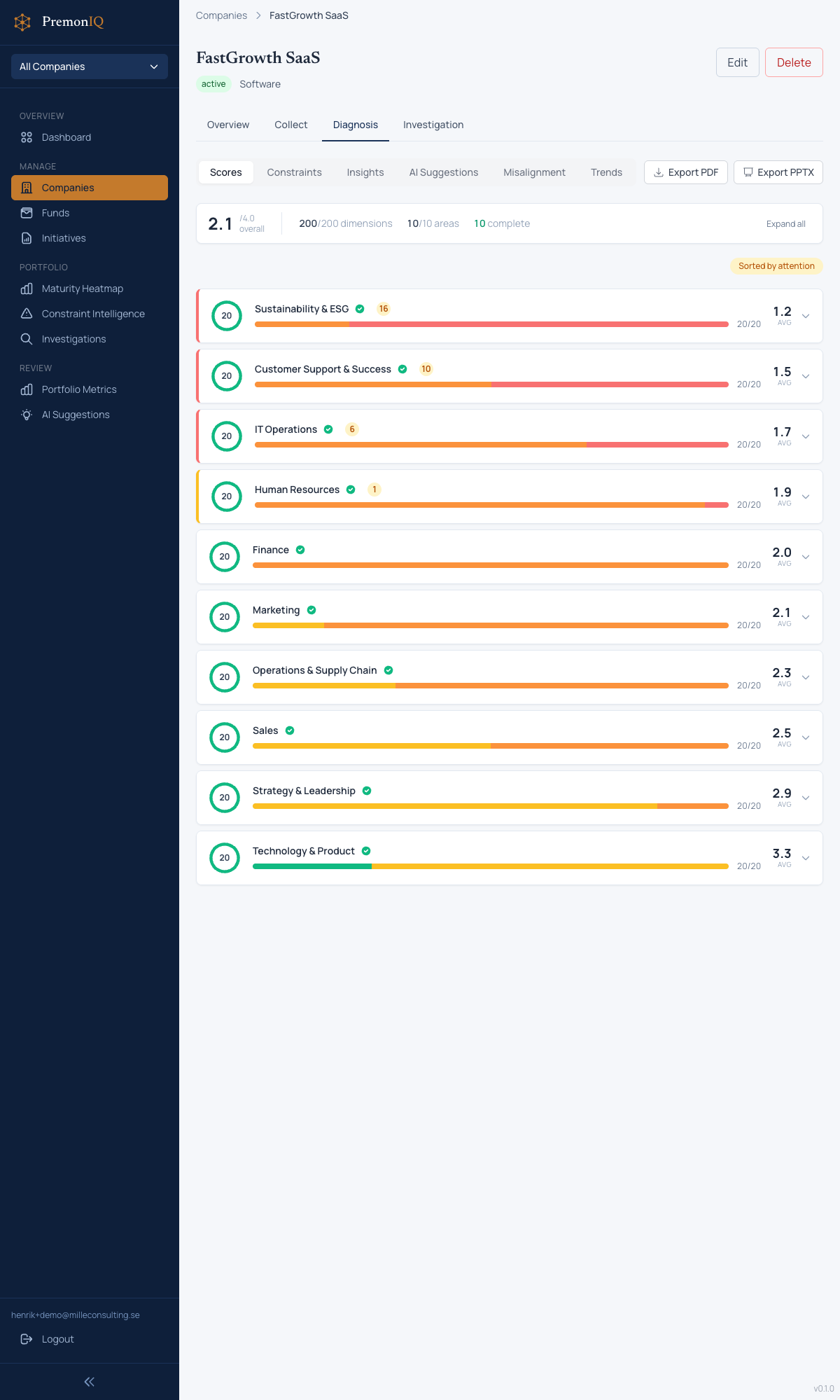
The Diagnosis → Scores view now visually highlights areas that need attention, and sorts by attention by default when any area has it.
- Red left-border on area cards with 3+ attention dimensions (critical).
- Amber left-border on area cards with 1–2 attention dimensions (warning).
- "Sorted by attention" toggle is on by default when any area has attention dimensions; the worst surface to the top.
- Sort preference is preserved across refetches once the user toggles it manually.
1.5 AI-Drafted Initiatives from Evidence
A new "Create Initiative" CTA in the dimension evidence drawer drafts a starter title, description, and primary target using Claude Sonnet 4.
- Click "Create Initiative" → Claude drafts a structured initiative based on the company name + investment thesis, the dimension's level descriptions, the current dimension score, and the top 5 highest-confidence confirmed AI suggestions for that dimension.
- Editable title + description form, plus a read-only primary-target card with metric, unit, baseline estimate, target value, and rationale.
- Click "Save Initiative" → calls the existing initiative-create endpoint and navigates to the new initiative's detail page.
- Rate-limited 20 drafts per tenant per hour via
ai_usage_logs; token usage and latency are logged for cost observability.
Multi-Factor Authentication (TOTP)
Closes SECURITY_TODO.md item #2. Required by every PE firm we've spoken to.
TOTP-based MFA across the platform
Full TOTP-based MFA shipped across three coordinated PRs.
- End-user enrollment: PE-Admin tenant settings → Require MFA → user receives prompt on next login →
/mfa/enrollwizard scans QR code, enters TOTP code, generates backup codes. - Platform-Admin login: MFA always enforced; no opt-out.
- Forced enrollment: when a tenant flips the
mfaRequiredflag on, all existing users hit the enrollment flow on their next request. - Admin reset: PE-Admin can reset a user's MFA via tenants → users page; emits an audit log entry; user must re-enroll on next login.
- Post-login security banner prompts users to enroll when their tenant requires MFA but they haven't yet.
otplib v12 with clock-skew window. Backup codes hashed and single-use. mfaEnabled + mfaSecret on both users and platform_admins. All tenant-scoped routes go through authMfaEnforced preHandler — no route can be reached without a valid MFA-claim JWT when policy requires it.
By the numbers
| Metric | Value |
|---|---|
| Pull requests merged | 28 (PRs #6 – #13 + interim) |
| Database migrations | 12 |
| New API endpoints | ~10 (metric extraction, gap-aware recommendations, MFA enroll/reset/verify, initiative draft, investigation outcome, banner dismissals) |
| Unit tests | 1102 → 1182 (+80) |
| Integration tests added | 5 real-DB tests |
| RLS policies added | 4 |
| AI prompts | 1 new (initiative-draft) |
| AI usage types | 1 new (initiative_draft) |
| Code-review iterations | 18 — every PR through superpowers:code-reviewer |
| Deploys | 4 (zero-downtime, zero rollbacks) |
| Production validation | All four founder priorities verified post-deploy via Playwright + direct API calls |
Things to be aware of
Initiative draft from evidence is rate-limited 20/hr/tenant. A heavily-engaged user clicking through every dimension could hit the cap.
Investigation Outcome view requires both before- and after-assessments. If the company hasn't run a new assessment since completing the investigation, the view shows a "Run a new assessment" hint instead of deltas.
MFA enrollment requires a TOTP authenticator app (Google Authenticator, 1Password, Authy). No SMS / email fallback. WebAuthn passkey support deferred to a later release.
Metric extraction works best with structured financial documents. Free-form interview transcripts yield narrative scores rather than quantitative metrics.